
10 Essential Features Every Business Website Should Have in 2026
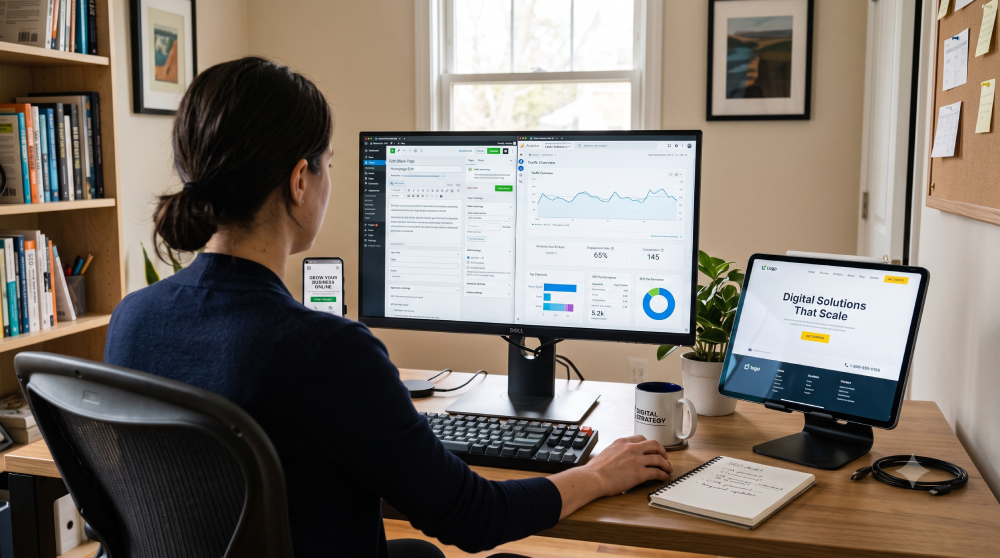
A business website is more than an online brochure. It should help visitors understand your business, trust you, find what they need, and take action. 1. Clear Navigation Visitors should quickly understand where to go. Keep the main navigation simple and use descriptive labels. 2. Mobile-Friendly Design Make sure layouts, buttons, menus, forms, and text work comfortably on smartphones and tablets. 3. Clear Service Information Explain what you offer, who it is for, the problems it solves, and what makes your approach useful. 4. Strong Calls to Action Use clear actions such as Contact Us, Request a Quote, Book a Consultation, or Get Started. 5. Easy Contact Options Provide the contact methods your customers actually use, such as forms, email, phone, or WhatsApp. 6. Fast Performance Compress images, remove unnecessary assets, optimize scripts, and use appropriate caching and hosting. 7. SEO-Friendly Structure Use logical headings, descriptive URLs, useful content, internal links, and optimized metadata. 8. Trust Signals Testimonials, reviews, case studies, portfolio work, and clear business information can reduce hesitation. 9. Website Security Use HTTPS, strong credentials, updates, backups, and appropriate security controls. 10. Easy Content Management A manageable CMS makes it easier to update services, blogs, images, and other content as your business grows. Conclusion A strong business website combines clear communication, usability, performance, security, SEO, and conversion-focused structure. Use these features as a practical checklist when planning or improving your website.
Website Maintenance: Why Your Website Needs It

Launching your website is just the beginning. Many business owners assume that once a website goes live, it will continue running smoothly forever. Unfortunately, that’s not how websites work. Like any digital asset, Websites require regular maintenance to remain secure, fast, and reliable. Ignoring maintenance can lead to security vulnerabilities, poor performance, and even website downtime. Let’s explore why Website maintenance is essential for every business website. What Is Website Maintenance? Website maintenance refers to the ongoing tasks required to keep your website healthy and up to date. These tasks include: Updating Core Updating Themes and Plugins Website Backups Security Monitoring Performance Optimization Fixing Broken Links Uptime Monitoring Database Cleanup Spam Removal Regular maintenance ensures your website continues to perform at its best. Why Is Website Maintenance Important? 1. Improves Website Security Outdated plugins and themes are among the most common causes of hacked WordPress websites. Keeping your website updated helps protect it from: Malware Brute-force attacks Security vulnerabilities Unauthorized access A secure website protects both your business and your customers. 2. Keeps Your Website Fast Over time, websites accumulate unnecessary data, revisions, and unused plugins. Regular maintenance helps: Improve loading times Optimize databases Reduce server load Enhance user experience A faster website can also positively impact your SEO rankings. 3. Prevents Downtime Website downtime can result in: Lost leads Reduced sales Poor user experience Damage to your reputation Monitoring your website helps identify issues before they affect your visitors. 4. Ensures Plugin Compatibility WordPress frequently releases updates, and plugin developers regularly update their products. Without maintenance, plugin conflicts can cause: Broken layouts Missing functionality Error messages Website crashes Regular updates ensure everything continues working together. 5. Improves SEO Performance Google prefers websites that are: Fast Secure Mobile-friendly Error-free Maintaining your website helps preserve your search engine rankings and provides a better experience for visitors. How Often Should You Maintain Your Website? Here is a recommended schedule: Weekly Check for plugin updates Review website forms Monitor uptime Monthly Perform backups Optimize the database Review website performance Quarterly Conduct a full website audit Check SEO health Test all functionality Signs Your Website Needs Maintenance You may need immediate maintenance if: Your website loads slowly. Visitors report errors. Plugins haven’t been updated in months. Your SSL certificate has expired. You’re seeing spam comments. Your website hasn’t been backed up recently. Final Thoughts Your website is an investment in your business, and like any investment, it requires ongoing care. Regular Website maintenance helps improve security, performance, SEO, and reliability while giving you peace of mind. Instead of waiting for something to break, take a proactive approach and keep your website running smoothly throughout the year.
Why Choose WordPress for Your Website?
Top Benefits of WordPress Development When planning a new website, one of the first decisions you’ll make is choosing the right platform. With so many website builders and content management systems available, it can be difficult to know which option is best. WordPress powers over 40% of all websites on the internet, making it the world’s most popular website platform. From small business websites and portfolios to large e-commerce stores and corporate websites, WordPress provides a flexible and powerful solution. In this article, we’ll explore why WordPress is an excellent choice for your website. 1. Easy to Manage One of the biggest advantages of WordPress is its user-friendly dashboard. Even users with little technical knowledge can easily: Update content Add blog posts Upload images Create new pages Manage website settings This means you won’t need a developer for every small website update. 2. Cost-Effective Solution WordPress itself is free and open-source. You only need to pay for: Domain name Hosting Premium themes (optional) Premium plugins (optional) Compared to custom-built websites, WordPress offers a highly affordable solution without sacrificing quality. 3. SEO Friendly Search Engine Optimization (SEO) is essential for attracting visitors from Google. WordPress includes many SEO-friendly features such as: Clean website structure SEO-friendly URLs Fast indexing Mobile responsiveness Easy meta title and description management Plugins like Rank Math and Yoast SEO further enhance optimization capabilities. 4. Fully Customizable Whether you need a business website, portfolio, blog, booking system, or online store, WordPress can be customized to meet your requirements. You can choose from thousands of themes and plugins to create a website that matches your brand and business goals. 5. Mobile Responsive Most internet users browse websites on mobile devices. WordPress supports responsive designs that automatically adjust to different screen sizes. A mobile-friendly website improves user experience and search engine rankings. 6. Scalable for Future Growth WordPress grows with your business. You can start with a simple website and later add: Online store functionality Membership areas Booking systems Learning management systems Customer portals This flexibility makes WordPress a long-term investment. 7. Strong Security Features WordPress provides various security options to help protect your website. Security can be enhanced through: SSL certificates Security plugins Regular updates Backup systems Two-factor authentication With proper maintenance, WordPress websites can be highly secure. 8. Thousands of Plugins Available WordPress offers over 50,000 plugins that allow you to add advanced functionality without custom coding. Popular features include: Contact forms WhatsApp integration SEO tools Performance optimization Social media integration E-commerce functionality This saves both development time and cost. 9. Perfect for Blogging and Content Marketing WordPress originally started as a blogging platform and remains one of the best content management systems available. Regular blogging helps: Improve SEO Increase website traffic Build authority Generate leads Educate customers Content marketing is much easier to manage with WordPress. 10. Ideal for Business Websites Whether you’re a local business, freelancer, consultant, or growing company, WordPress provides everything needed to establish a professional online presence. A well-designed WordPress website helps: Build credibility Generate leads Showcase services Improve customer communication Increase conversions Conclusion WordPress continues to be the preferred choice for businesses worldwide because it combines flexibility, affordability, ease of use, and scalability. Whether you’re launching your first website or upgrading an existing one, WordPress provides the tools and features needed to succeed online. If you’re looking for a professional, SEO-friendly, and easy-to-manage website, WordPress is one of the best platforms available today.